
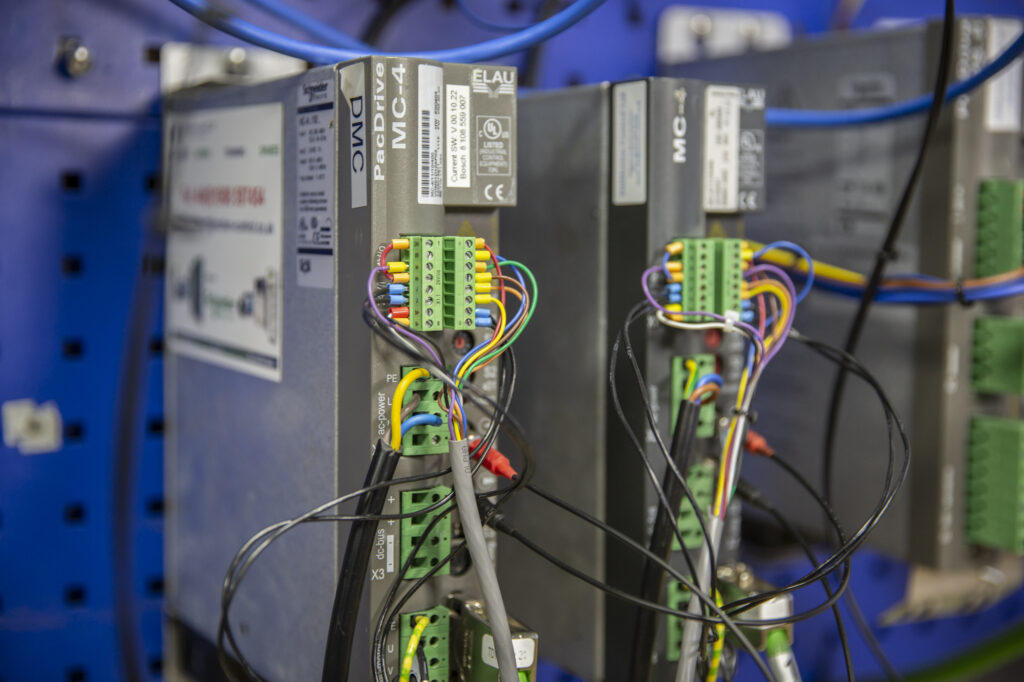
Replacing machine parts is not always as straightforward as swapping out the old for the new. A situation may occur where the controller refuses to communicate with the new drive, an unexpected diagnostic message appears, or the machine runs but behaves differently from previously. In such cases it is often natural to assume faulty hardware is responsible; however, there may be another factor at play which needs to be considered, and this is a firmware mismatch.
For manufacturers using PacDrive systems, firmware compatibility matters whenever a component is replaced, older equipment maintained or an upgrade planned. Knowing the warning signs will help an engineering team avoid unnecessary downtime and the hours lost to troubleshooting.
What is a firmware mismatch?
Firmware is the low-level software embedded in industrial hardware such as controllers and servo drives. It facilitates communication between the physical electronics and the control software and determines how a device operates and interacts with the wider system. A firmware mismatch happens when a component’s firmware version is incompatible with that of another device, the controller application or the installed automation software.
Two components can carry identical part numbers yet run different firmware versions, and this difference alone can compromise compatibility. It’s a common situation which is relevant to both PacDrive M and PacDrive 3.
What does a firmware mismatch actually look like?
Firmware incompatibility rarely produces a message identifying the root cause. Most likely an engineer will face symptoms which look like electrical faults, communication failures, or defective components. For example:
- Drives that won’t start up: a replacement servo drive may be installed correctly, but the controller cannot start it. The device may show up in diagnostics whilst staying unavailable for normal operation, pointing to unsupported firmware, incorrect configuration, or an incompatible hardware revision.
- Problems appear despite maintenance: Timing is one of the main clues. If a machine ran correctly before maintenance and developed a fault immediately after a component change, firmware compatibility could well be the cause.
Why firmware compatibility matters for PacDrive systems
Many manufacturers still use ELAU PacDrive M machinery. Keeping those machines running depends on replacement controllers, servo drives and other spares. Sourcing a part with the right part number is only half the task because the replacement also has to be compatible with the existing firmware in use. Any new component will still need the correct firmware version before it will run correctly.
How to identify firmware mismatches before they cause downtime
Some basic preparation can remove most of the risk and it starts with a simple question: do you actually know what you run?
Record what’s installed: keep an accurate record of the firmware versions across your controllers, drives and related components. Add to this any hardware revisions, part numbers and machine configuration.
Verify compatibility before ordering: check that a replacement’s firmware is supported by the existing system before it’s bought as matching part numbers are not a guarantee of compatibility on their own.
Keep reliable backups: hold verified backups of controller applications, machine parameters and configuration files.
Test before production: where practical prove a replacement during planned maintenance or on a test set-up to confirm device recognition, communication, configuration and the machine functions that matter before the equipment goes back into service.
Let the data help where it can: a read-only diagnostic tool such as Machine Analyser® connected to your PacDrive equipment can reveal details an engineer would otherwise have to look for mid-fault, including firmware information and obsolescence status. The connection is strictly read-only by design so there is no risk to the machine. Importantly, information is captured in advance and does not need to be looked for after a line has already stopped. Questions regarding firmware are better answered on a normal day than during a breakdown.
How we can help
Whenever we test ELAU PacDrive M and PacDrive 3 parts we always check firmware compatibility against the existing equipment. We can install the correct firmware on any devices as well as offer the parts with the correct firmware already installed. If our clients have any doubts about which firmware versions are in use we can carry out a site survey to confirm.
The bottom line
A firmware mismatch can turn a straightforward component swap into an unplanned production stop. The best time to identify any potential compatibility issue is before the replacement part is ordered, long. Firmware versions should be documented, compatibility verified and any replacements planned with consideration to the whole system. Do this and a surprisingly common cause of downtime can be avoided.